
GymProgress vs Hevy: which workout tracker should you choose?
9 min read
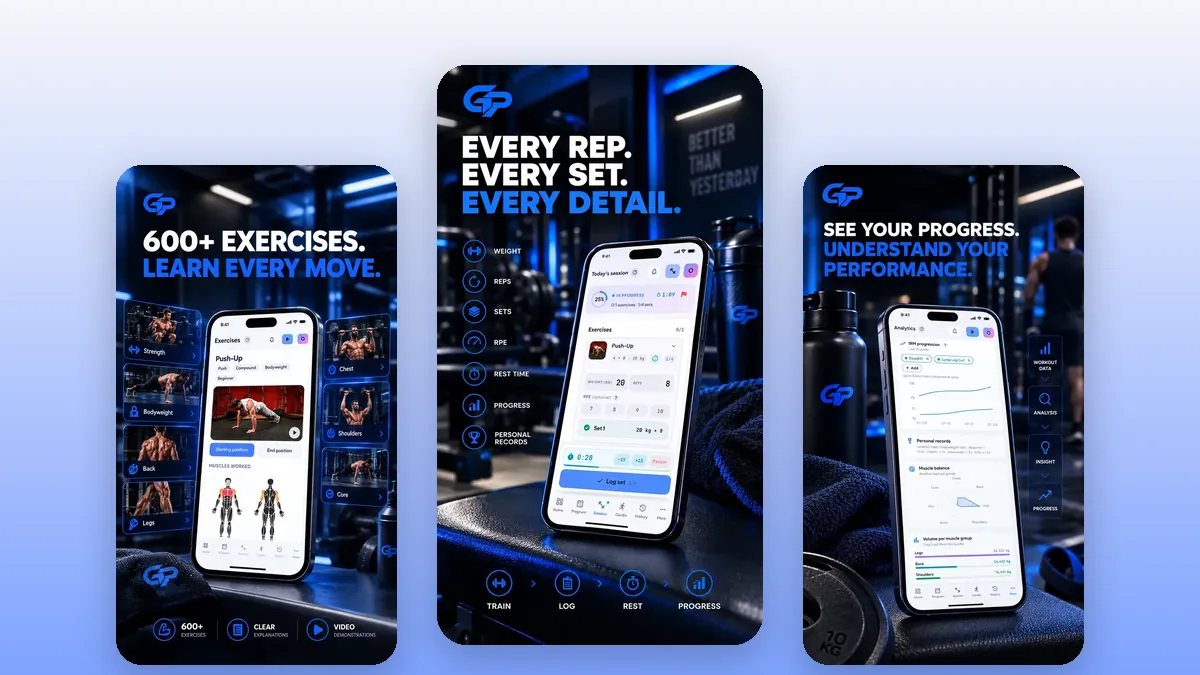
If you train on an iPhone, use a smartwatch, or enjoy sharing your workouts with a community, Hevy is very likely the better choice for you. If you want a 100% free app with no limit on routines or history, a 30-day program generated from your profile and plenty of educational content in English, French and Arabic, GymProgress is a serious alternative to Hevy. Here is the detail, criterion by criterion, as of writing (October 2026).
In this guideexpand_more
The two apps at a glance
Hevy is a workout tracking app published by Hevy Studios S.L. It presents itself as a simple, intuitive gym log that is free, ad-free and backed by a social community of lifters. It is one of the most popular apps in its category: as of writing, its Google Play listing shows a 4.9 rating from about 280,000 reviews and more than 5 million downloads, and its US App Store listing a 4.9 rating from about 99,000 ratings. It is available on iPhone, iPad, Android, in the browser, and on Apple Watch and Wear OS watches.
GymProgress is a newer strength and cardio tracking app, available on Android through Google Play and in the web browser, including on iPhone where you can install it as a home-screen shortcut. It is entirely free, with no subscription or paid version, and available in English, French and Arabic with a right-to-left interface. Its website also offers calculators, guides, recipes and food pages in open access.
Both apps share the essentials: an exercise catalog, logging sets with weight and reps, a rest timer, personal records and an estimated 1RM. They differ mainly in business model, platforms, the social dimension and how your program gets built.
GymProgress vs Hevy comparison table
This table sums up the main differences as of writing (October 2026). Information about Hevy comes from its official store listings and help center; it may change, so check the official listing before you decide.
| Criterion | GymProgress | Hevy |
|---|---|---|
| Model | 100% free, no subscription | Limited free + paid Pro |
| Routines (templates) | Unlimited | 4 free, unlimited with Pro |
| Statistics history | Full | 3 months on free |
| Platforms | Android + web browser | iOS, Android, web, watches |
| Native iOS app | No (installable web app) | Yes |
| Smartwatch | No | Apple Watch and Wear OS |
| Languages | English, French, Arabic | 15+ languages incl. French, Arabic |
| Generated program | 30 days included, free | Hevy Trainer (Pro) |
| Social features | No | Feed, followers, comments |
| Supersets | No dedicated feature | Yes |
| Photos and measurements | No | Yes (partly Pro) |
| Data export | JSON | Yes, plus Strong CSV import |
Logging during the session: two efficient logs
On Hevy, logging is one of the app's recognized strengths. You record weight and reps set by set, with dedicated set types (warm-up, normal, drop set, failure), an optional RPE column you enable in settings, an automatic rest timer adjustable per exercise, supersets and a plate calculator to load your bar. All of this is available on the free version, and workout logging there is unlimited.
On GymProgress, you pick from a catalog of more than 600 exercises with detailed pages (instructions, muscles worked), then log your sets with weight and reps, plus an optional RPE. The rest timer runs between sets, you can schedule sessions in advance, reuse workout templates and swap an exercise for an alternative when a machine is taken. Cardio has its place too, with duration, distance, pace, heart rate and calories.
To be clear about the limits: GymProgress has no dedicated supersets and no free-text notes per session. If you chain a lot of supersets or like to annotate every workout, Hevy is currently more complete on this point.
Progress tracking and statistics
Hevy offers charts for volume, best weight and total reps, muscle distribution on a body map, workout frequency, personal records and an estimated 1RM. On the free version, workout and statistics history is limited to the last 3 months; one-year or all-time access, set count per muscle group and the monthly report are part of Hevy Pro. For body tracking, weight, waist and progress photos are free, while body fat percentage and other measurements are reserved for Pro.
GymProgress focuses on complete statistics with no time limit: personal records and how they evolve, your max load progression week after week, estimated 1RM, weekly volume, volume and set count per muscle group, your RPE distribution, a calendar of trained days and a body weight curve. Your whole history stays available, however old it is.
On the other hand, GymProgress handles neither progress photos nor body measurements, and does not sync with any watch or health app. If tracking your physique in photos is part of your motivation, Hevy covers that need better.
Training programs
Hevy provides ready-made plans: body-part splits, beginner programs and workouts suited to the equipment you have. To go further, Hevy Trainer, included in the Pro subscription, generates a program and suggests weight and rep targets to apply progressive overload, with progress reports. You can also copy your friends' routines through the social side.
GymProgress includes for free a 30-day program generated from your level, goal, training location (gym, home or bodyweight), target session length and number of sessions per week, from 2 to 6. Loads are carried over from your last session and progression follows the double progression principle: you first increase reps within a range, then the load.
The difference is mainly about cost: program generation is free on GymProgress and paid on Hevy, while Hevy offers a library of ready-to-use plans and the option of drawing inspiration from the community's routines.
Pricing and business model
Hevy runs on a freemium model. The free version is genuine and ad-free: unlimited workouts, rest timer, plate calculator, personal records. It is limited to 4 routines, 7 custom exercises and 3 months of workout and statistics history. The Hevy Pro subscription removes these limits and notably adds Hevy Trainer; it comes as a monthly, yearly or lifetime plan, purchasable in the app or on the website. The price depends on your country and purchase channel: as of writing (October 2026), check the official listing in your store for the price that applies to you.
GymProgress is free, with no subscription and no paid version: routines, history, statistics and the 30-day program are available to everyone, with no cap. The website's calculators, guides, recipes and food pages are open access too.
If the limits of Hevy's free version don't bother you, for instance because you follow a single routine and mostly look at your last few months, free Hevy may be all you need. If you want your full history and several routines without paying, GymProgress meets that need.
Languages, platforms and community
Hevy is indeed available in French and Arabic: its App Store listing names around fifteen languages, including English, French, Arabic, Spanish, German and Turkish. It runs on iPhone, iPad, Android, in the browser, on Apple Watch and on Wear OS. Its social side is a real asset: you follow other lifters, see their workouts in a personalized feed, comment, copy routines and can sync your workouts with Strava.
GymProgress is available in English, French and Arabic, with an Arabic interface designed right to left. The native app exists on Android; on iPhone you use it in the browser and can install it as a home-screen shortcut, but there is no native iOS app and no smartwatch app. There is no social feature either: no feed, no followers. Your data is hosted in the European Union, you can export it as JSON and delete your account whenever you want.
GymProgress is a young app with a small community, whereas Hevy claims more than 10 million users on its App Store listing. If friendly competition keeps you motivated, that is a strong argument for Hevy.
Which one to choose for your profile?
Choose Hevy if you are on iPhone and want a true native app, if you train with an Apple Watch or a Wear OS watch, if community and sharing workouts motivate you, if you use a lot of supersets, or if you want to track progress photos. It is also a good choice if its free version is enough for you or if the Pro subscription doesn't bother you.
Choose GymProgress if you are on Android or comfortable with a browser app, if you want a completely free app with no limit on routines or history, if a 30-day program adapted to your location and level helps you get started, or if you want to learn with guides, calculators and detailed exercise pages in English, French or Arabic.
Switching between them is simple: Hevy lets you export your workouts and measurements from its settings, and GymProgress exports your data as JSON. There is no automatic import from Hevy into GymProgress at this time; the easiest way is to recreate your workout templates and note your current loads during your first sessions. The best approach is still to try both for free for a week or two.
Hevy is a trademark of its respective owners; GymProgress is not affiliated with it.
Frequently asked questions
Is Hevy free?expand_more
Yes, Hevy has a genuine, ad-free free version with unlimited workouts. It is limited to 4 routines, 7 custom exercises and 3 months of history. The Hevy Pro subscription (monthly, yearly or lifetime) removes these limits; its price varies by country, so check the official listing.
Is Hevy available in French?expand_more
Yes. As of writing, Hevy's App Store listing includes French among around fifteen languages. GymProgress is also available in French, as well as English and Arabic.
Is Hevy available in Arabic?expand_more
Yes, Arabic is among the languages listed on Hevy's App Store page. GymProgress also offers a fully Arabic interface displayed right to left, plus guides and pages translated into Arabic on its website.
What is a free alternative to Hevy?expand_more
GymProgress is a 100% free alternative to Hevy, with no subscription and no limit on routines or history, plus an included 30-day program. In return, it has no native iOS app, no smartwatch support and no social features.
Can I import my Hevy data into GymProgress?expand_more
Not automatically at this time. Hevy lets you export your workouts and measurements from its settings, which keeps you a copy, but GymProgress offers no import. You can recreate your workout templates and pick up your current loads from your first sessions.
Does GymProgress work on iPhone?expand_more
Yes, in the browser: you can use it on iPhone and install it as a home-screen shortcut. There is no native iOS app; if that matters to you, Hevy is available on the App Store.
Hevy or GymProgress for a beginner?expand_more
Both work. Hevy offers ready-made beginner programs and a community to draw inspiration from. GymProgress generates a free 30-day program based on your level and location, and its website offers guides and exercise pages to learn the basics.
Log your workouts in seconds
GymProgress logs your sets, keeps your history, tracks your records and charts your progress — for free, on Android and the web.